Group the stems.Click print. Walk away.
What used to eat your afternoon now runs itself. StemStation bounces your entire stem delivery out of Pro Tools while you're not at the desk.
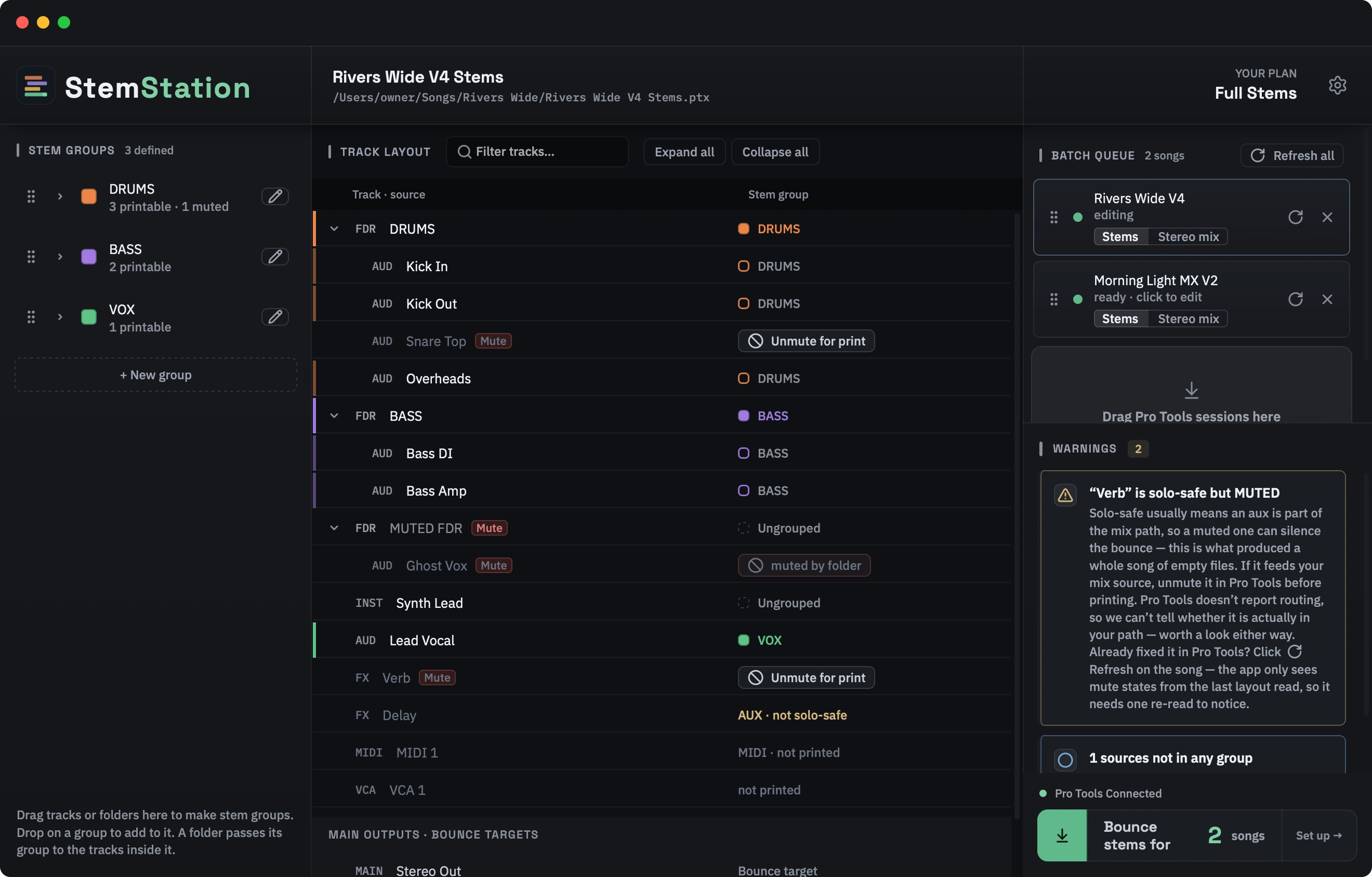
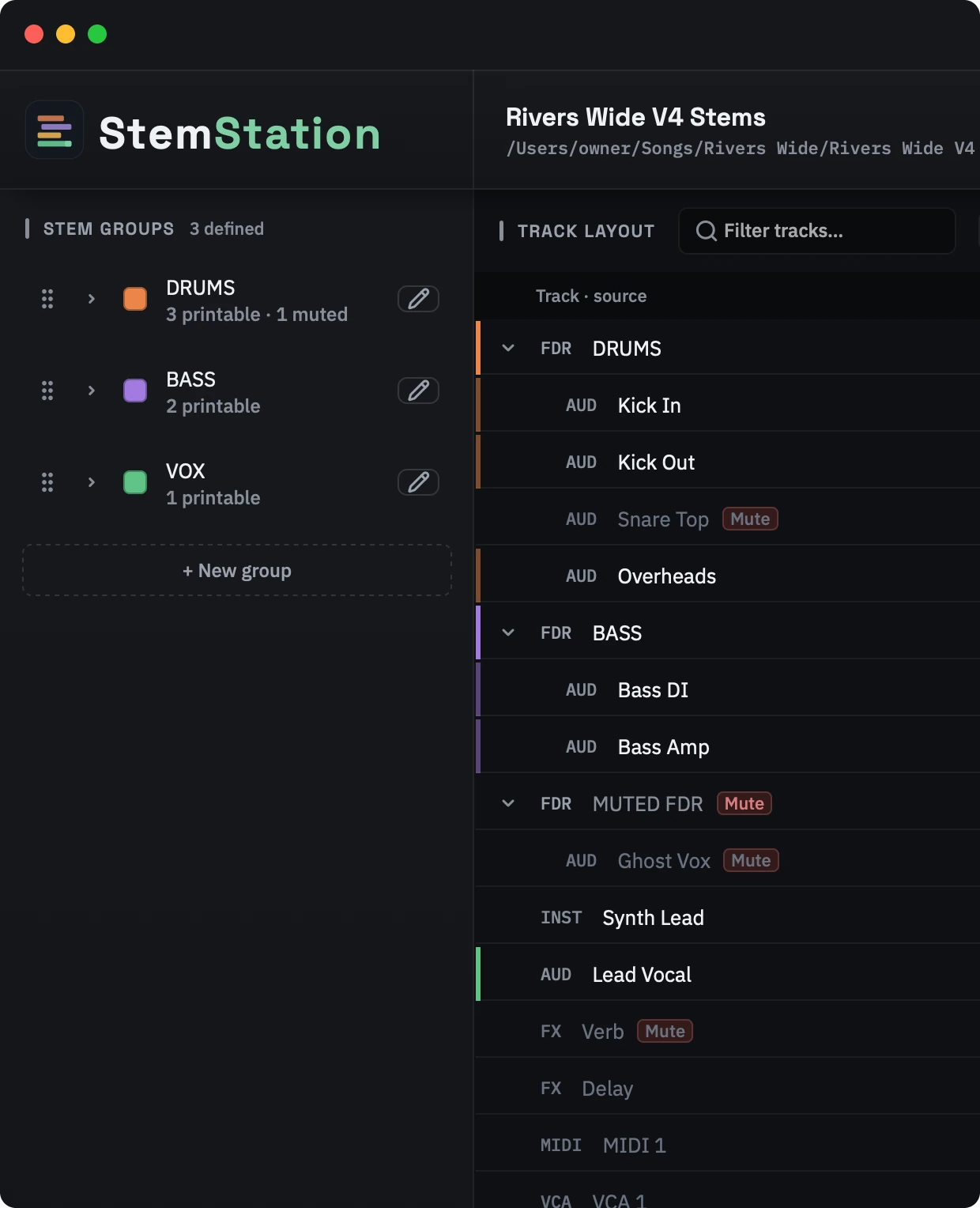
StemStation turns a session full of tracks into named stem groups, queues every song, and prints the whole batch unattended, with a progress panel you can read from across the room.
Get your time back.
Set up the batch in a couple of minutes and walk away. StemStation prints and checks while you're doing something better.
Four steps, then you walk away.
Add your sessions
Drag in one Pro Tools session or a whole batch of .ptx files. StemStation works on its own copies, so your original sessions are never changed.
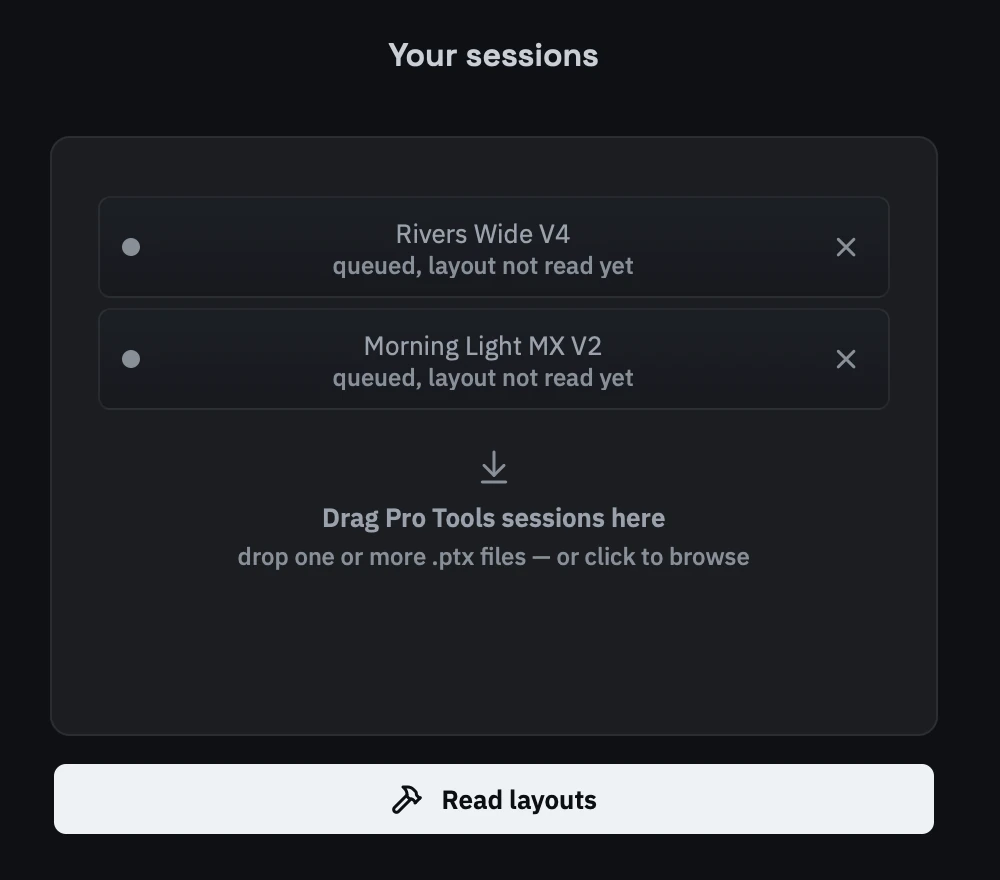
It reads each session for you
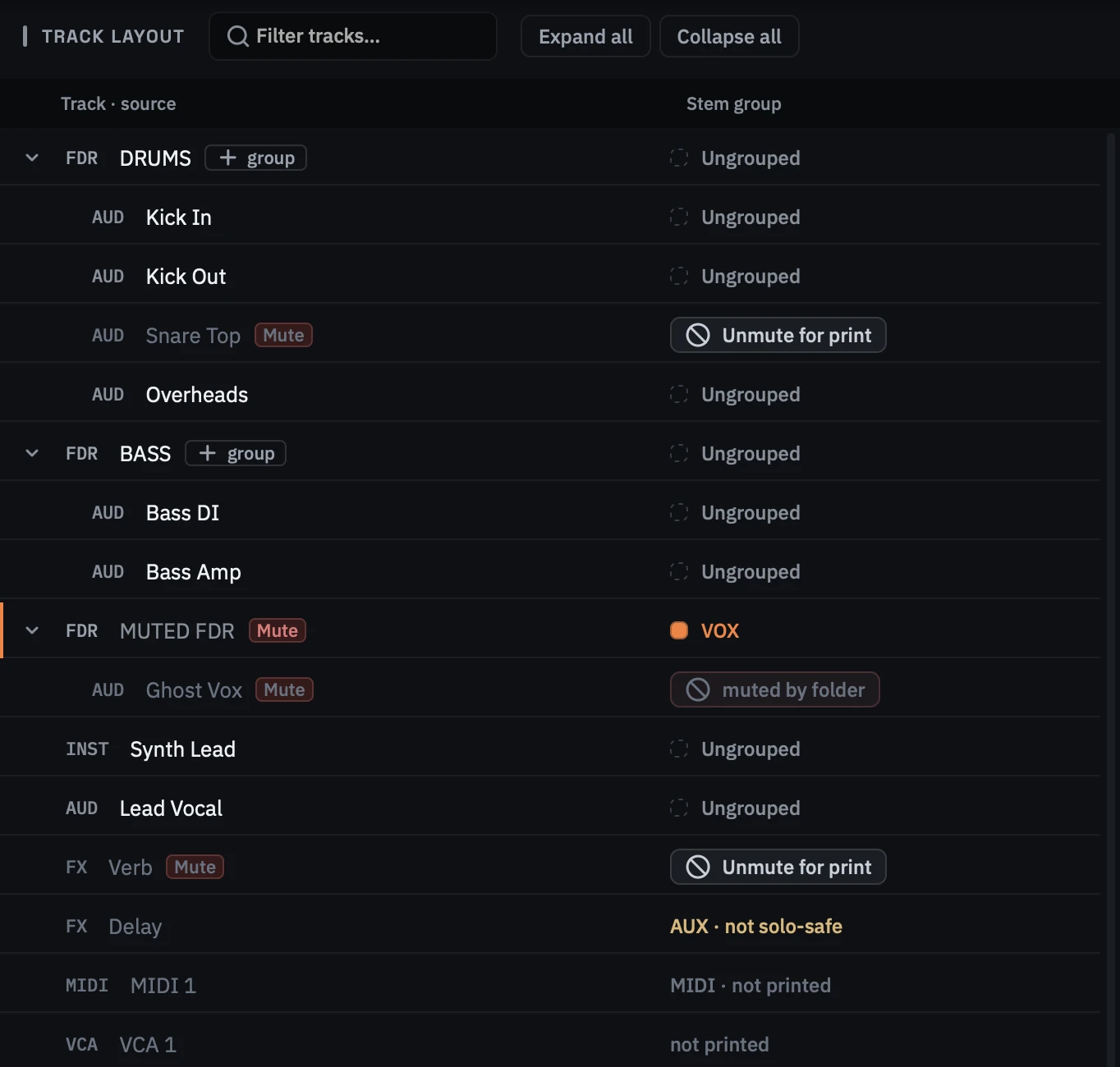
Press Read layouts. StemStation reads every folder, track and bus straight from the session file, laid out the way Pro Tools has it. Pro Tools does not even need to be open.
Drag tracks into stem groups
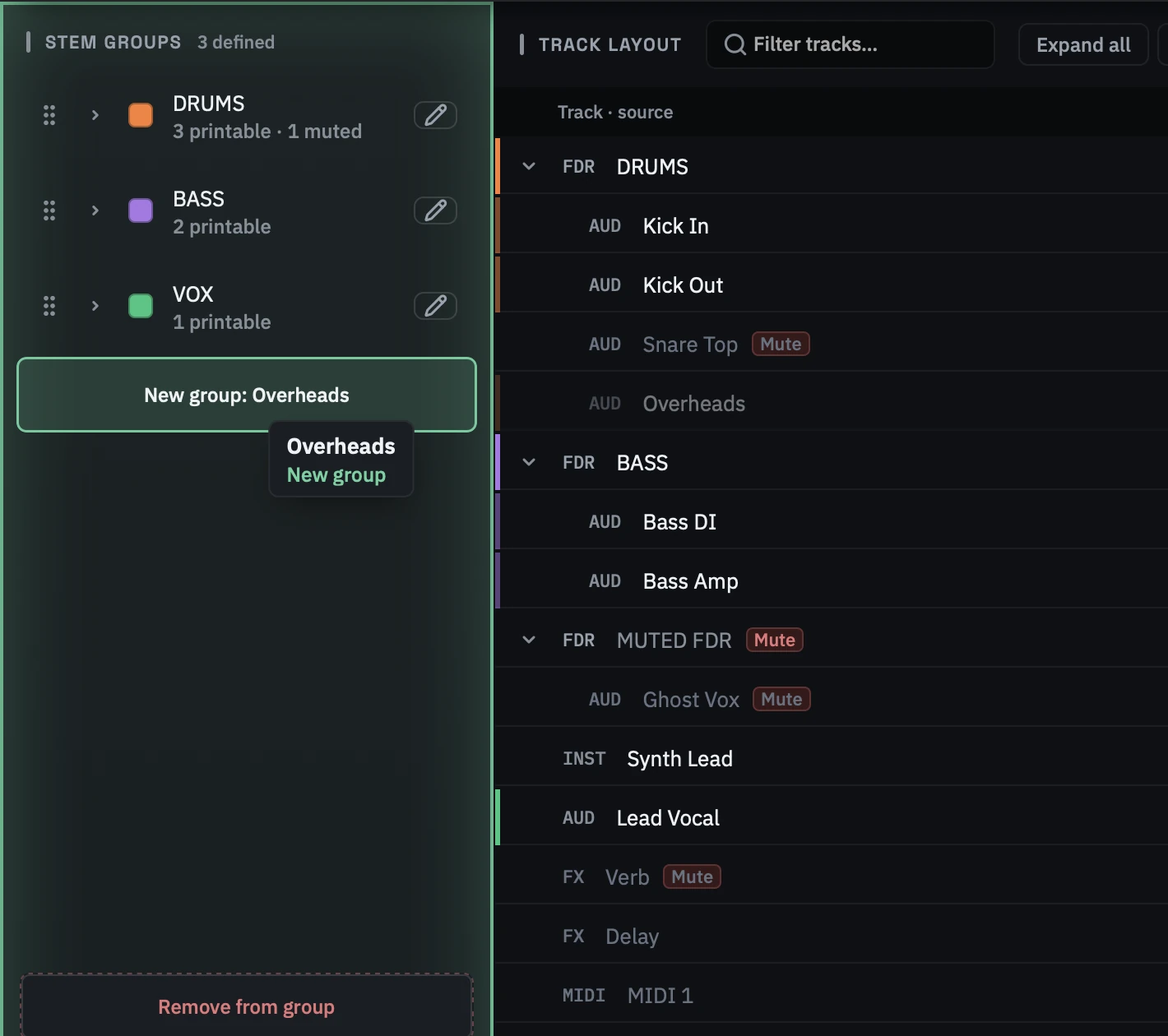
Drag a track or a folder from the track list onto the Stem groups panel. Drop it on empty space to make a new group, or on a group to add to it. Add a folder and every track inside it comes along. The group name becomes the file name.
Press Start Bounce
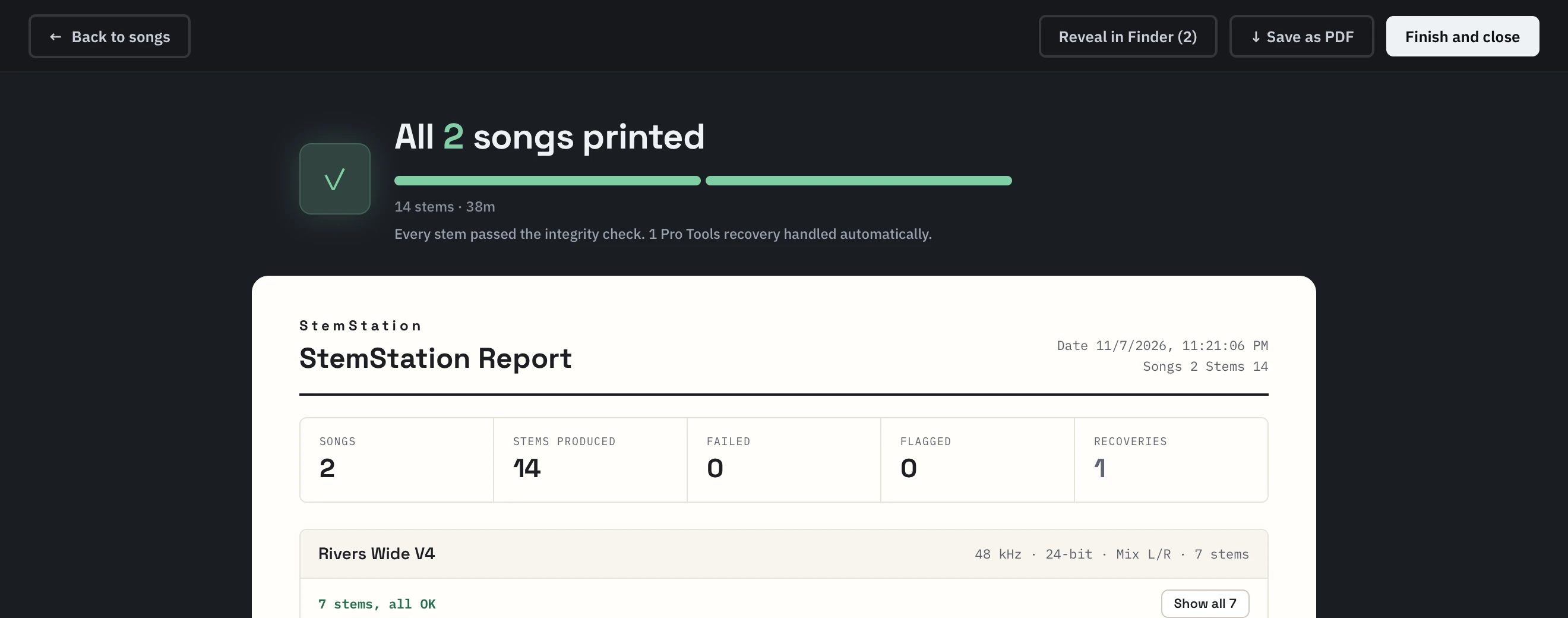
StemStation works through every song on its own, checks each file as it is written, and has the whole batch and a report waiting when you are back.
Every song prints to spec.
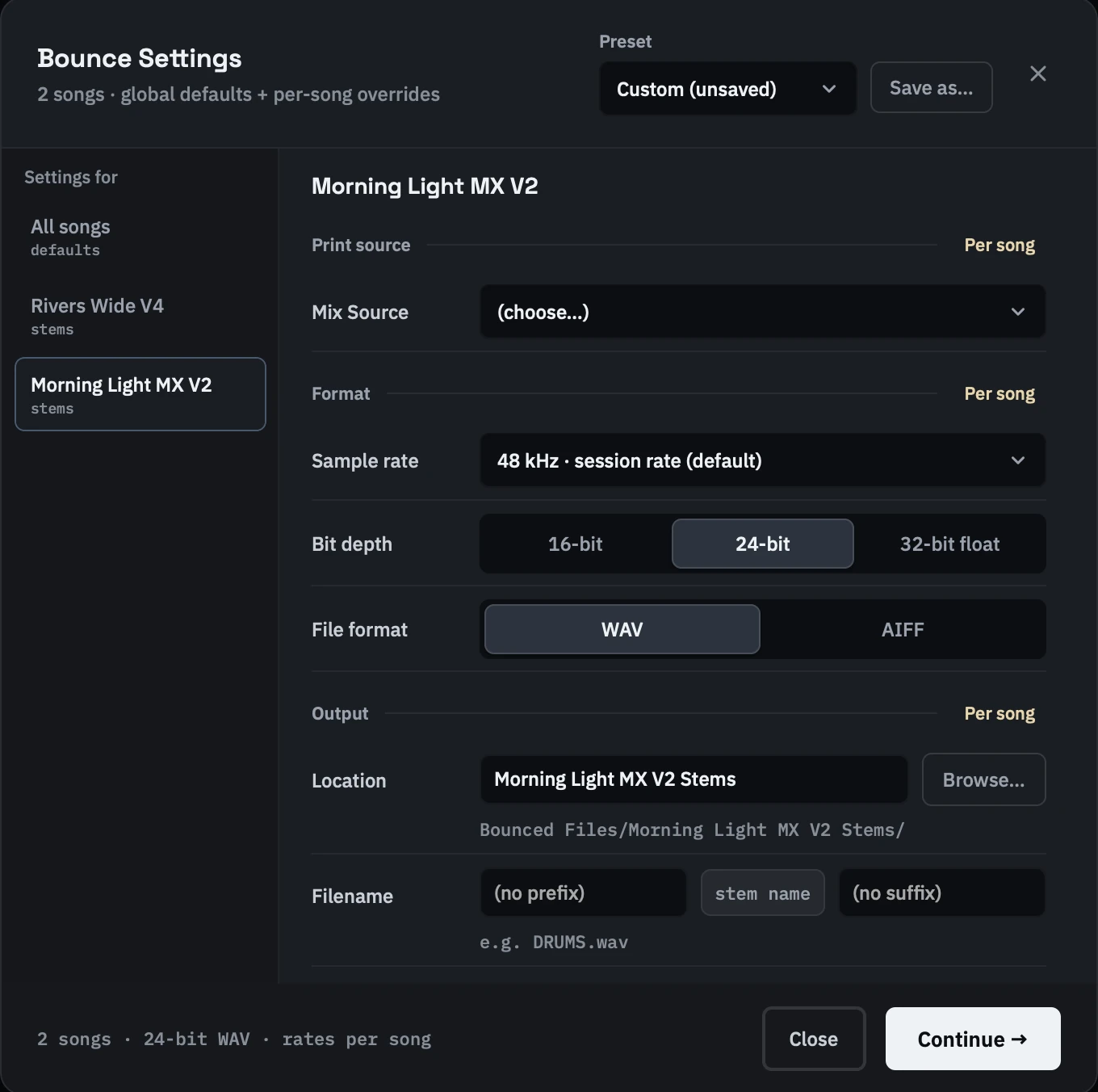
Set the format once for the whole batch, then pick a song to give it its own sample rate, print region, folder or file name. Save the combination as a preset for next time.
Built to be left alone.
It runs unattended, never touches your session, and checks every file it writes.
Prints the whole queue unattended
Queue as many sessions as you like. StemStation prints them start to finish with nobody at the desk.
Never touches your session
Every song prints from a copy the app makes beside your session. Your original .ptx is never opened for the print and is checked unchanged afterwards.
Every file checked
Each printed file is checked for silence and truncation, and the report lists every stem with its status, length and size.
Handles dialogs, freezes and crashes
Known Pro Tools pop-ups are cleared for you. If Pro Tools stops responding, StemStation restarts it, reopens the session and carries on from the stem that failed.
Three plans. Pick one, or try it first.
Try it free for 7 days, or choose a plan straight away. The trial is the full product, no card required.
Up to 25 stereo mixdowns a month. For the occasional delivery.
Unlimited stereo mixdowns. For busy mix rooms.
Full instrument stems and stereo mixes, unlimited. The complete tool.
Before you start.
No. The 7-day free trial needs only an email and password, and you get full access to everything. Choose a plan whenever you're ready: straight away, or when the trial ends.
Stop babysitting the bounce.
Full access for 7 days. Set up a batch tonight and review checked stems tomorrow.